 |
Windows Update BlockerOne-Click Management for Windows Updates |
|||||||||
|
Windows Update BlockerWindows Update Blocker (WUB) is a portable utility that gives you direct, reliable control over Windows Update services. With a single action you can enable or disable updates, lock your preferred state, and avoid surprise restarts or background downloads that disrupt work.
Current Release - Windows Update Blocker 1.8Release date: January 20, 2026Version 1.8 is verified and current. It focuses on stability, clean service control, and clear status feedback. Download Windows Update Blocker to apply your update policy without changing system settings by hand. What Windows Update Blocker DoesWUB manages Windows Update services directly, so you can keep updates on when you are ready to patch and turn them off when uptime matters most. The tool is portable, runs without installation, and leaves minimal footprint on your system. Core Capabilities
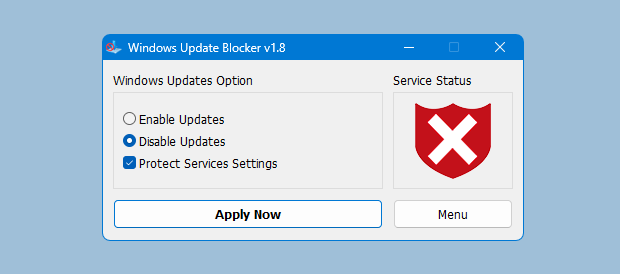
Control Updates in Three StepsStep 1: Download and launchExtract the archive and run the executable directly. No setup process is required. Step 2: Choose update modeSelect Disable Updates to pause changes or Enable Updates when you are ready to patch. Step 3: Apply and confirmClick Apply and verify the status indicator. Enable protection if you want to lock the state.
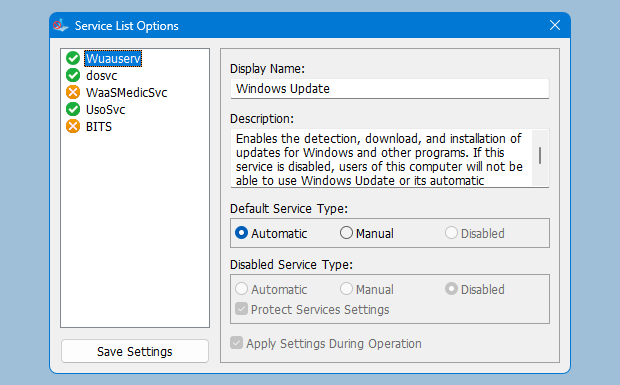
Advanced Admin ToolkitWUB supports IT workflows with automation-ready options and service list controls.
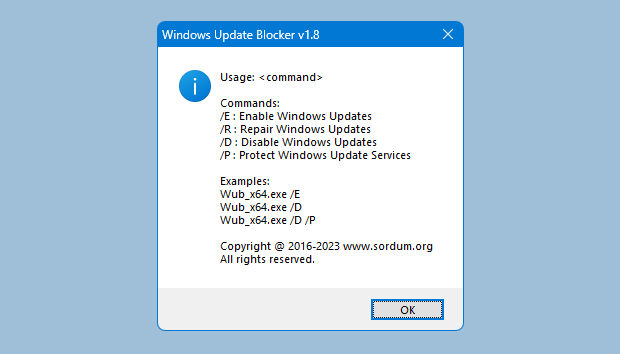
Command Line ParametersUse the CLI for scripted control in admin workflows and deployments. Why Teams Choose WUB
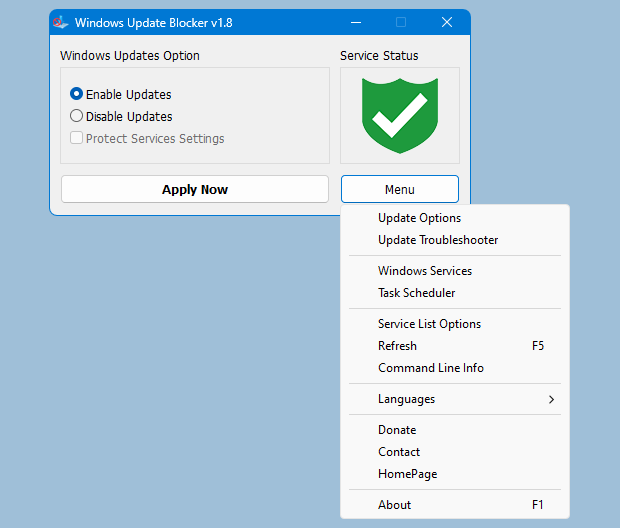
Additional BenefitsVisual feedback and a clean interface keep service control clear and trustworthy.
Trust, Transparency, and Responsible Use
System Requirements
Get Windows Update BlockerDownload the latest release from the download page and review the features list to confirm it meets your workflow. |
|||||||||
| © 2026 Windows Update Blocker. All rights reserved. . |